A sample manager for Windows that keeps you in the track
The idea is in your head now. The sound it needs is somewhere in a folder you named years ago, inside a pack you half remember. Every minute spent clicking through folders is a minute the idea fades.
What a sample manager should do
Work on your folders where they are. No importing, copying or reorganizing first. WavSniper scans the folders you point it at, and rescans skip files that haven't changed.
Make every sound findable without manual tagging. WavSniper turns folder and file names into tags, so Drums\Kicks\big-punchy_kick 01.wav is found by kick, punchy or drums. Type a tag or a word and the list narrows as you type, and it stays smooth past 100,000 samples.
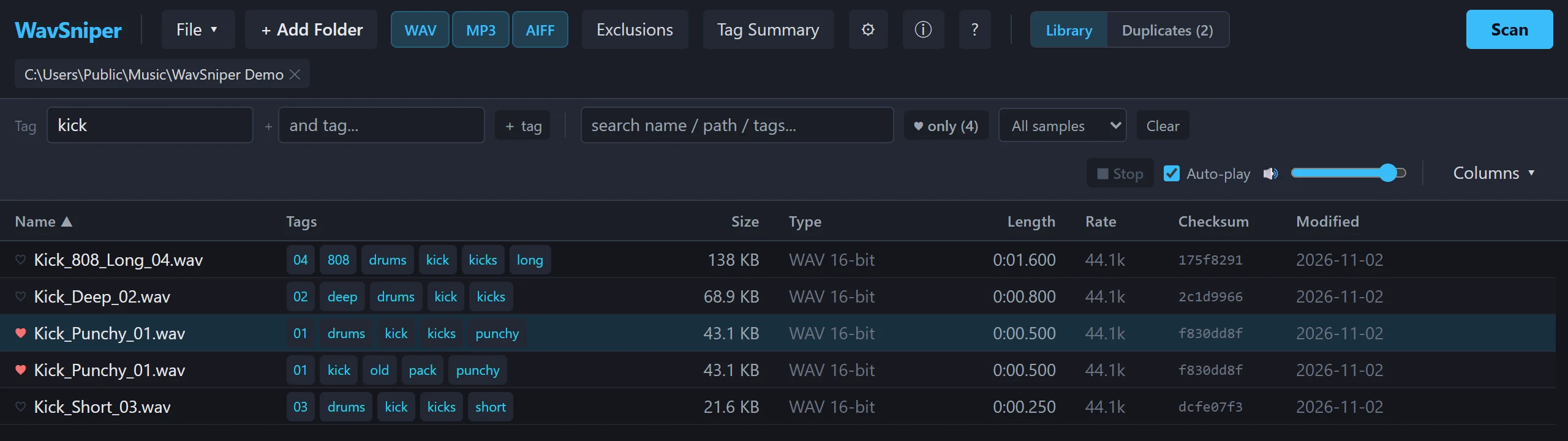
Let you hear sounds as fast as you can read them. Arrow down the list and each sample plays as you land on it. Loud samples play turned down, so nothing blasts you between quiet ones.
Drag straight into any DAW. WavSniper drags files the way Windows Explorer does, so any DAW that takes files from Explorer takes them from WavSniper. FL Studio's Ogg and FLAC files with a .wav name go out as a standard WAV copy (see why some FL Studio .wav files won't import).
Beyond finding sounds
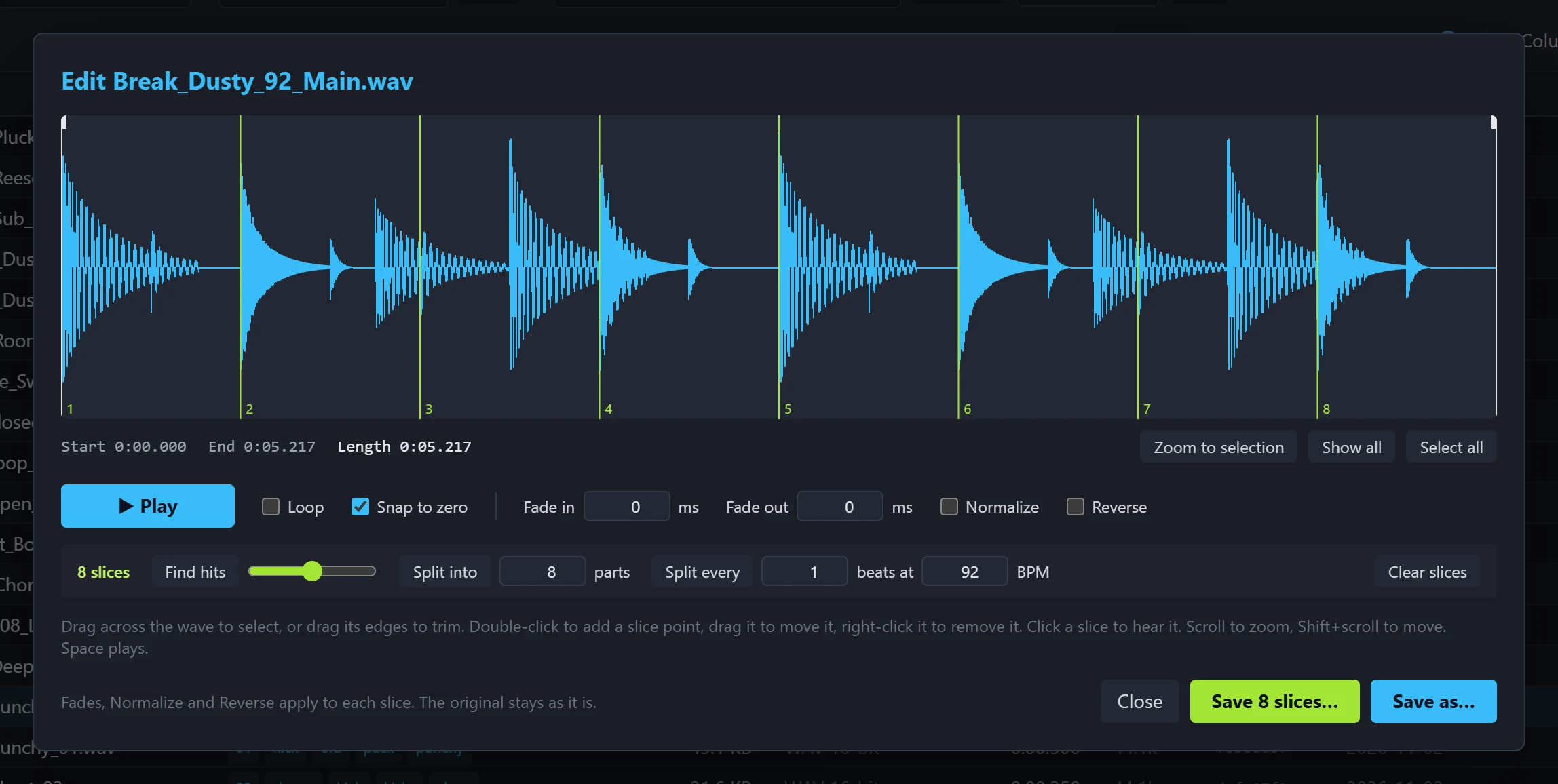
Crates gather the sounds for one track, and hearts mark the ones you keep coming back to. Duplicates finds identical files across your folders (see finding duplicate samples). Convert to turns a selection into WAV, AIFF or FLAC, and Edit audio trims, fades, reverses and slices a loop into new files.
What it doesn't do
It never moves or renames your samples. The only file it moves is one you send to the Recycle Bin yourself. It doesn't need an account or a subscription: try every feature free for 14 days, then a one-time license keeps it, with every update free. It runs on Windows 64-bit; there's no Mac version yet.
Questions
Does WavSniper copy or import my samples?
No. It scans your folders where they are and never moves or renames your files.
Does it work with FL Studio, Ableton Live and REAPER?
WavSniper drags files the same way Windows Explorer does, so any DAW that takes files dropped from Explorer takes them from WavSniper. Drag-out is tested in REAPER.
Is there a Mac version?
Not yet. WavSniper runs on Windows 64-bit.
Find the sound, hear it, drag it in. WavSniper is free to try for 14 days.